🔗 SQL JOINs
1️⃣ Table Definitions & Sample Data
👤 Table: customers
CREATE OR REPLACE TABLE customers (
  customer_id INT,
  name STRING,
  city STRING
);

INSERT INTO customers (customer_id, name, city) VALUES
  (1, 'Arjun Mehta', 'Chennai'),
  (2, 'Priya Verma', 'Mumbai'),
  (3, 'Rahul Singh', 'Delhi'),
  (4, 'Sneha Iyer', 'Bangalore'),
  (5, 'Kiran Rao', 'Hyderabad'),
  (6, 'Anjali Sharma', 'Kolkata'),
  (7, 'Vikram Desai', 'Pune'),
  (8, 'Neha Reddy', 'Chennai'),
  (9, 'Suresh Das', 'Mumbai'),
  (10, 'Lakshmi Nair', 'Bangalore'),
  (11, 'Ajay Kumar', 'Delhi'),
  (12, 'Meena Joshi', 'Ahmedabad');
📦 Table: orders
CREATE OR REPLACE TABLE orders (
  order_id INT,
  customer_id INT,
  amount INT
);

INSERT INTO orders (order_id, customer_id, amount) VALUES
  (101, 1, 500),
  (102, 2, 700),
  (103, 2, 300),
  (104, 4, 800),
  (105, 5, 600),
  (106, 7, 450),
  (107, 8, 650),
  (108, 11, 550),
  (109, 13, 900),  -- unmatched
  (110, 6, 750),
  (111, 14, 680),  -- unmatched
  (112, 2, 320);
2️⃣ JOIN Types Explained
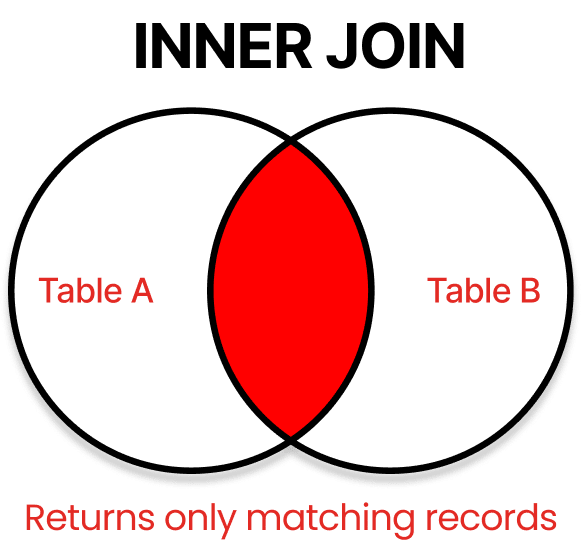
🔗 INNER JOIN - ( Finding the Perfect Match )
- ✅ Returns rows when there is a match in both tables.
- ❌ Excludes non-matching records.
- INNER JOIN is the most commonly used JOIN type and represents the intersection between two tables – returning only records that have matching values in both tables.
SQL:
SELECT c.name, o.order_id, o.amount
FROM customers c
INNER JOIN orders o ON c.customer_id = o.customer_id;
Output:
| name | order_id | amount |
|---|---|---|
| Arjun Mehta | 101 | 500 |
| Priya Verma | 102 | 700 |
| Priya Verma | 103 | 300 |
| Priya Verma | 112 | 320 |
| Sneha Iyer | 104 | 800 |
| Kiran Rao | 105 | 600 |
| Anjali Sharma | 110 | 750 |
| Vikram Desai | 106 | 450 |
| Neha Reddy | 107 | 650 |
| Ajay Kumar | 108 | 550 |
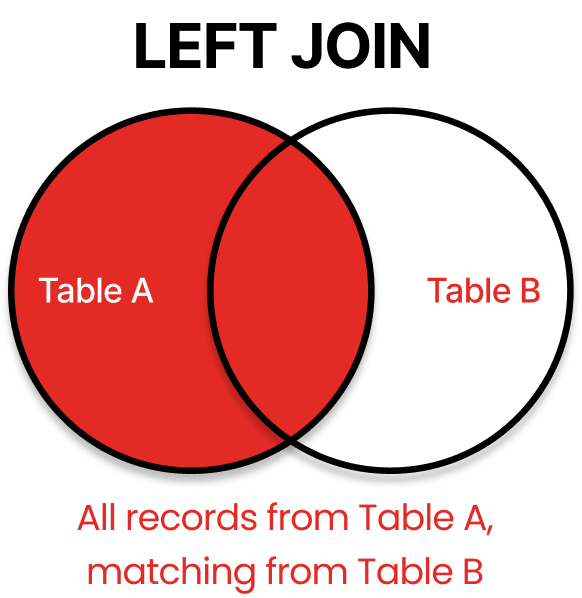
🡸 LEFT JOIN ( also called LEFT OUTER JOIN) : Keep Everything from Table A
- ✅ All records from the left table (customers).
- 🔁 Matched data from right table (orders),
NULLwhere not matched.
SQL:
SELECT c.name, o.order_id, o.amount
FROM customers c
LEFT JOIN orders o ON c.customer_id = o.customer_id;
Output:
| name | order_id | amount |
|---|---|---|
| Arjun Mehta | 101 | 500 |
| Priya Verma | 102 | 700 |
| Priya Verma | 103 | 300 |
| Priya Verma | 112 | 320 |
| Rahul Singh | NULL | NULL |
| Sneha Iyer | 104 | 800 |
| Kiran Rao | 105 | 600 |
| Anjali Sharma | 110 | 750 |
| Vikram Desai | 106 | 450 |
| Neha Reddy | 107 | 650 |
| Suresh Das | NULL | NULL |
| Lakshmi Nair | NULL | NULL |
| Ajay Kumar | 108 | 550 |
| Meena Joshi | NULL | NULL |
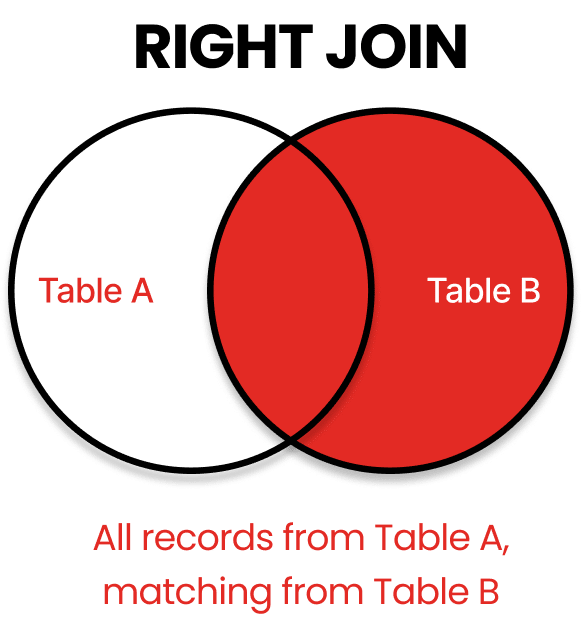
🡺 RIGHT JOIN ( or RIGHT OUTER JOIN ) : Prioritize Table B
- ✅ All records from the right table (orders).
- 🔁 Matched data from left table (customers),
NULLwhere not matched.
SQL:
SELECT c.name, o.order_id, o.amount
FROM customers c
RIGHT JOIN orders o ON c.customer_id = o.customer_id;
Output:
| name | order_id | amount |
|---|---|---|
| Arjun Mehta | 101 | 500 |
| Priya Verma | 102 | 700 |
| Priya Verma | 103 | 300 |
| Priya Verma | 112 | 320 |
| Sneha Iyer | 104 | 800 |
| Kiran Rao | 105 | 600 |
| Vikram Desai | 106 | 450 |
| Neha Reddy | 107 | 650 |
| Ajay Kumar | 108 | 550 |
| NULL | 109 | 900 |
| Anjali Sharma | 110 | 750 |
| NULL | 111 | 680 |
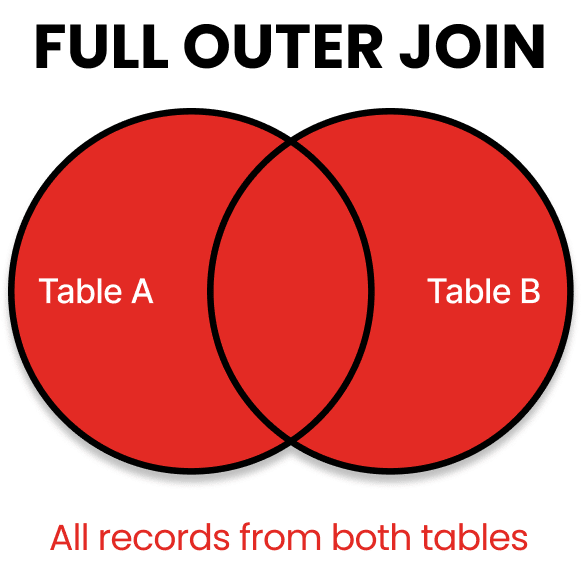
🔁 FULL OUTER JOIN
- ✅ All records from both tables.
- 🔁 Matched where possible; unmatched will show
NULL.- FULL OUTER JOIN combines the results of both LEFT and RIGHT JOINs, returning all records from both tables with matching records from opposite tables where available. When no match exists, NULL values appear in the columns from the table without a match.
SQL:
SELECT c.name, o.order_id, o.amount
FROM customers c
FULL OUTER JOIN orders o ON c.customer_id = o.customer_id;
Output:
| name | order_id | amount |
|---|---|---|
| Arjun Mehta | 101 | 500 |
| Priya Verma | 102 | 700 |
| Priya Verma | 103 | 300 |
| Priya Verma | 112 | 320 |
| Rahul Singh | NULL | NULL |
| Sneha Iyer | 104 | 800 |
| Kiran Rao | 105 | 600 |
| Anjali Sharma | 110 | 750 |
| Vikram Desai | 106 | 450 |
| Neha Reddy | 107 | 650 |
| Suresh Das | NULL | NULL |
| Lakshmi Nair | NULL | NULL |
| Ajay Kumar | 108 | 550 |
| Meena Joshi | NULL | NULL |
| NULL | 109 | 900 |
| NULL | 111 | 680 |
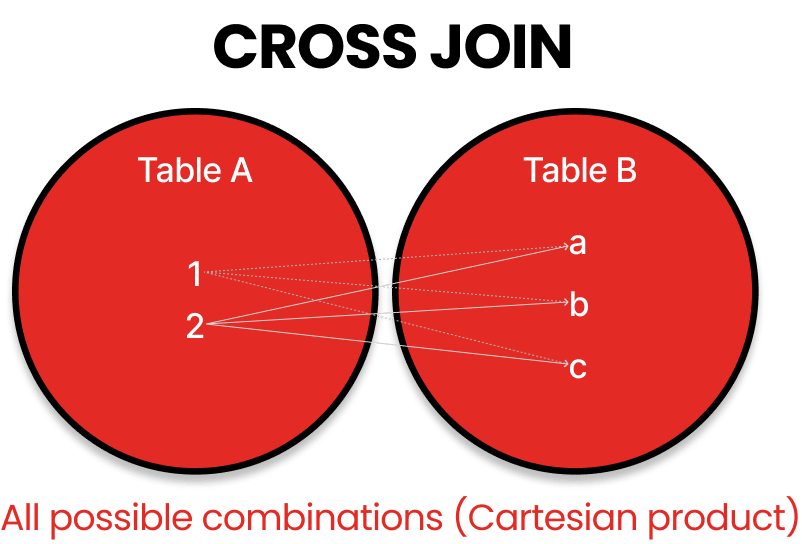
🔄 CROSS JOIN
- ✅ Cartesian product of both tables.
- 🧨 Very large output:
M x Nrows.- Unlike the previous JOINs, CROSS JOIN doesn’t use a joining condition. Instead, it creates a Cartesian product, generating all possible combinations by pairing each row from the first table with every row from the second table.
SQL:
SELECT c.name, o.order_id
FROM customers c
CROSS JOIN orders o;
Output Example:
| name | order_id |
|---|---|
| Arjun Mehta | 101 |
| Arjun Mehta | 102 |
| ... | ... |
| Meena Joshi | 112 |
(Total rows: 12 customers × 12 orders = 144 rows)
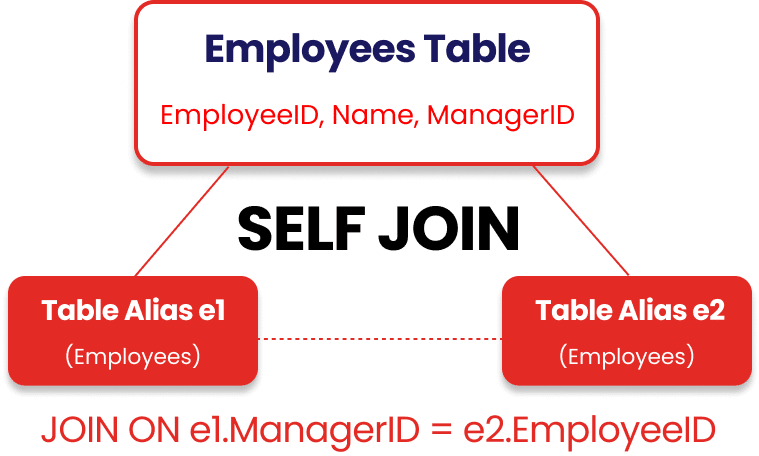
👯♂️ SELF JOIN – Same Table Comparison
- A SELF JOIN occurs when a table joins with itself, treating the same table as if it were two separate tables. This requires using table aliases to distinguish between the two instances of the same table.
- A table joins with itself to compare rows.**
👥 Table: employees
📄 DDL (Create Table)
CREATE OR REPLACE TABLE employees (
  emp_id INT,
  emp_name STRING,
  manager_id INT
);
🧾 Insert Sample Data
INSERT INTO employees (emp_id, emp_name, manager_id) VALUES
  (1, 'Anil', NULL),         -- CEO
  (2, 'Bhavna', 1),          -- Reports to Anil
  (3, 'Chirag', 1),          -- Reports to Anil
  (4, 'Divya', 2),           -- Reports to Bhavna
  (5, 'Eshan', 2),           -- Reports to Bhavna
  (6, 'Farah', 3),           -- Reports to Chirag
  (7, 'Gaurav', 3);          -- Reports to Chirag
🔄 Self JOIN Query (Employee–Manager Relationship)
SELECT
  e.emp_name AS employee,
  m.emp_name AS manager
FROM
  employees e
LEFT JOIN employees m
  ON e.manager_id = m.emp_id;
📊 Expected Output
| employee | manager |
|---|---|
| Anil | NULL |
| Bhavna | Anil |
| Chirag | Anil |
| Divya | Bhavna |
| Eshan | Bhavna |
| Farah | Chirag |
| Gaurav | Chirag |
🌳 Organizational Hierarchy – Tree View
Anil (CEO)
├── Bhavna
│   ├── Divya
│   └── Eshan
└── Chirag
    ├── Farah
    └── Gaurav
🔎 How to Read This?
- Anil is at the top level (no manager).
- Bhavna and Chirag report to Anil.
- Divya and Eshan report to Bhavna.
- Farah and Gaurav report to Chirag.
✅ Summary
This tree helps visualize the employee-manager hierarchy in an intuitive, human-readable way. In real-world reporting or dashboards, this kind of hierarchy is useful for:
- Organizational charts
- Reporting chains
- Escalation paths
- HR analytics
🧠 Why Use a SELF JOIN Here?
- ✅ Useful for hierarchy reporting (e.g., Org Chart).
- ✅ Relate each row to another row in the same table.
- ✅ Easy way to find reporting lines (manager–employee structure).
✅ Summary of JOIN Types
| JOIN Type | Description |
|---|---|
| INNER JOIN | Only matching rows in both tables |
| LEFT JOIN | All rows from left, matched from right or NULL |
| RIGHT JOIN | All rows from right, matched from left or NULL |
| FULL OUTER JOIN | All rows from both, matched or unmatched |
| CROSS JOIN | Every combination of left and right |
📝 Takeaways
- ➕ Need matching records from both tables? → Use
INNER JOIN - ➡️ Need all records from Table A? → Use
LEFT JOIN - ⬅️ Need all records from Table B? → Use
RIGHT JOIN - 🌐 Need everything regardless of match? → Use
FULL OUTER JOIN - 🔢 Need every possible combo? → Use
CROSS JOIN - 🔁 Need to compare rows within the same table? → Use
SELF JOIN